Benefits Realization Tracker template for PowerPoint
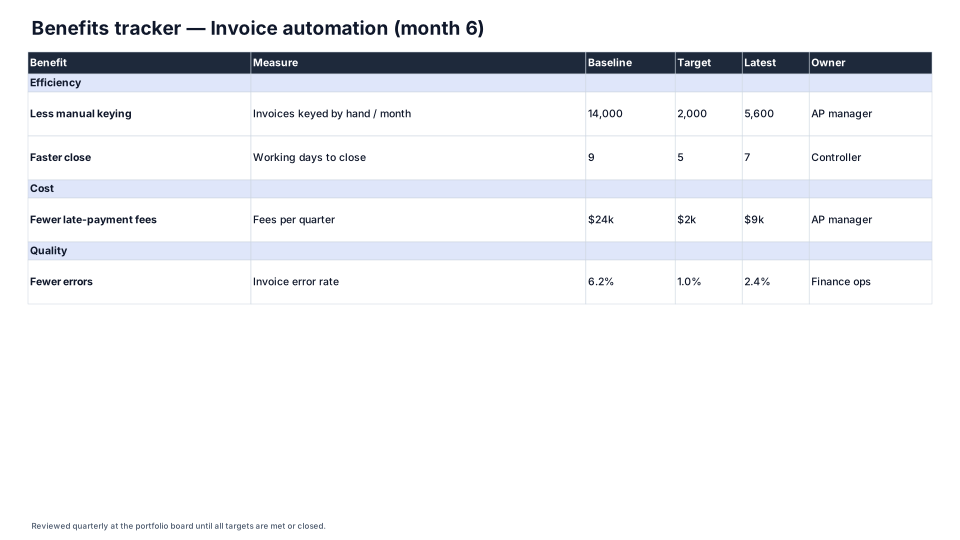
Each promised benefit with its measure, baseline, target, latest value and owner, reviewed after go-live.
Download (.pptx, 14 KB) Fill it from your notes in PowerPoint
The download is the slide above, made of native PowerPoint shapes you can edit. No sign-up. PMO Pilot, the PowerPoint add-in, fills it from your notes and is free to install.
When to use it
Tracking whether a project delivered the benefits in its business case.
How to make it in PMO Pilot
- Copy each benefit from the business case with its measure, baseline and target.
- Update the Latest column at each review.
- Name an owner for every benefit, not the project manager.
Best for
Benefits owners, PMO directors, Sponsors.
More Business case & finance templates
All 53 program diagrams, each a free .pptx download.