5 Whys Root Cause template for PowerPoint
Why-why tree from the problem to root causes, with countermeasures on each root cause.
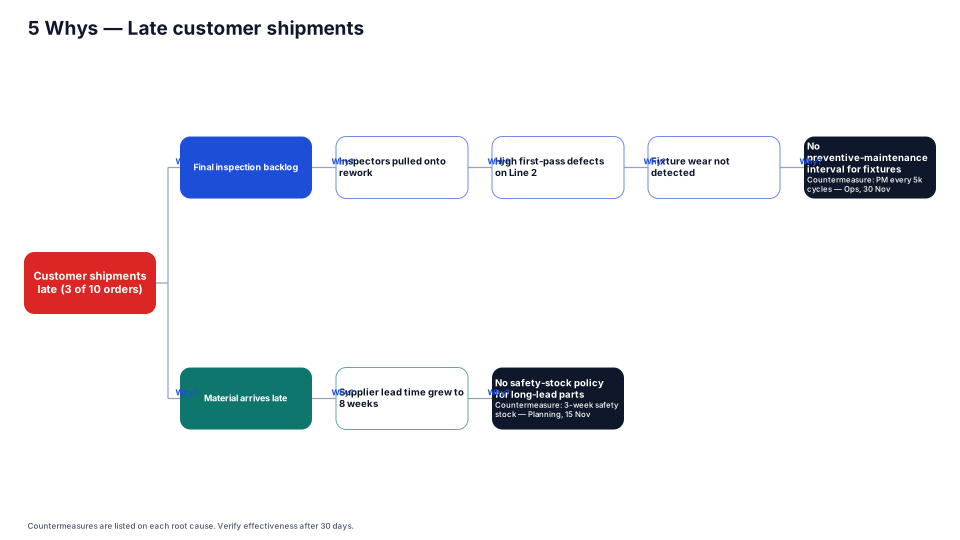
Download (.pptx, 14 KB) Fill it from your notes in PowerPoint
The download is the slide above, made of native PowerPoint shapes you can edit. No sign-up. PMO Pilot, the PowerPoint add-in, fills it from your notes and is free to install.
When to use it
Drilling from a symptom to a root cause in a few steps.
How to make it in PMO Pilot
- Start from the problem statement.
- Ask “why?” until you reach something you can fix (Edit content: ⋯ → Add branch for each answer).
- Set root causes to Kind: End / root cause and add a countermeasure in the details.
Best for
Quality engineers, Operations, Agile teams.
More Problem solving & quality templates
All 53 program diagrams, each a free .pptx download.