OKR / Goal Cascade template for PowerPoint
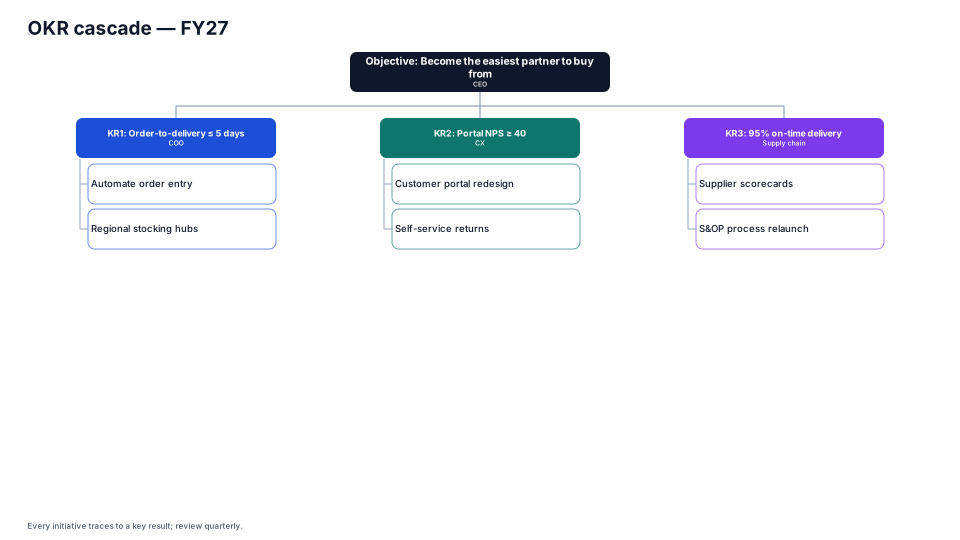
Objective → key results → initiatives with owners, so every project traces to a goal.
Download (.pptx, 14 KB) Fill it from your notes in PowerPoint
The download is the slide above, made of native PowerPoint shapes you can edit. No sign-up. PMO Pilot, the PowerPoint add-in, fills it from your notes and is free to install.
When to use it
Linking every initiative to a key result and an objective.
How to make it in PMO Pilot
- Start with one objective at the top.
- Add key results under it, then initiatives with owners (Edit content → ⋯ → Add sub-item).
- Remove initiatives that don't trace to a key result.
Best for
Executives, PMO, Team leads.
More Strategy & portfolio templates
All 53 program diagrams, each a free .pptx download.