
Decision Tree template for PowerPoint
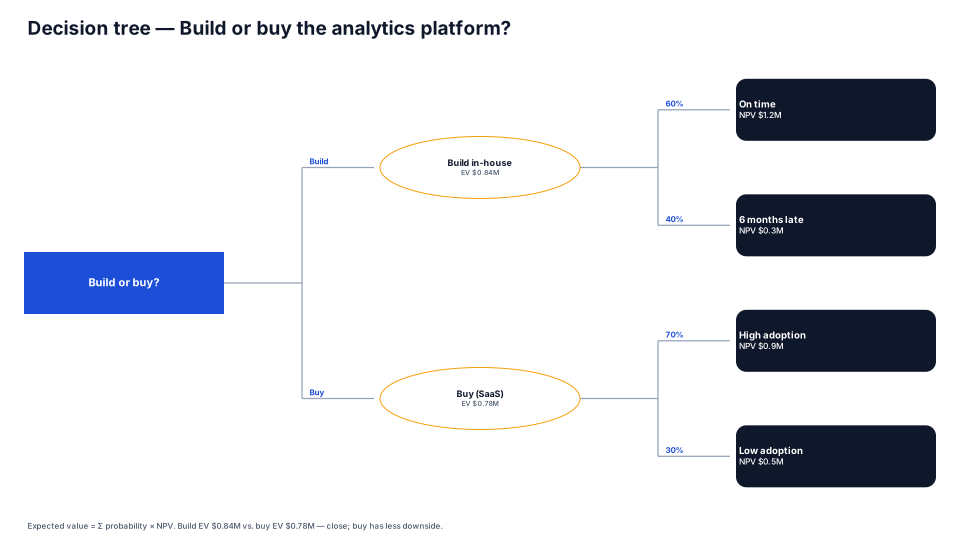
Decisions, chance events with probabilities and outcomes — expected value at a glance.
Download (.pptx, 14 KB) Fill it from your notes in PowerPoint
The download is the slide above, made of native PowerPoint shapes you can edit. No sign-up. PMO Pilot, the PowerPoint add-in, fills it from your notes and is free to install.
When to use it
Comparing choices whose outcomes depend on uncertain events.
How to make it in PMO Pilot
- Start from the decision; add options, then chance events with probabilities (⋯ → Add branch).
- In Edit content, set each item's Branch label (e.g. “60%”) — it labels the link into that item.
- Compare expected values at the outcomes (Kind: End).
Best for
Executives, Finance, Program managers.
More Risk & decisions templates
All 53 program diagrams, each a free .pptx download.
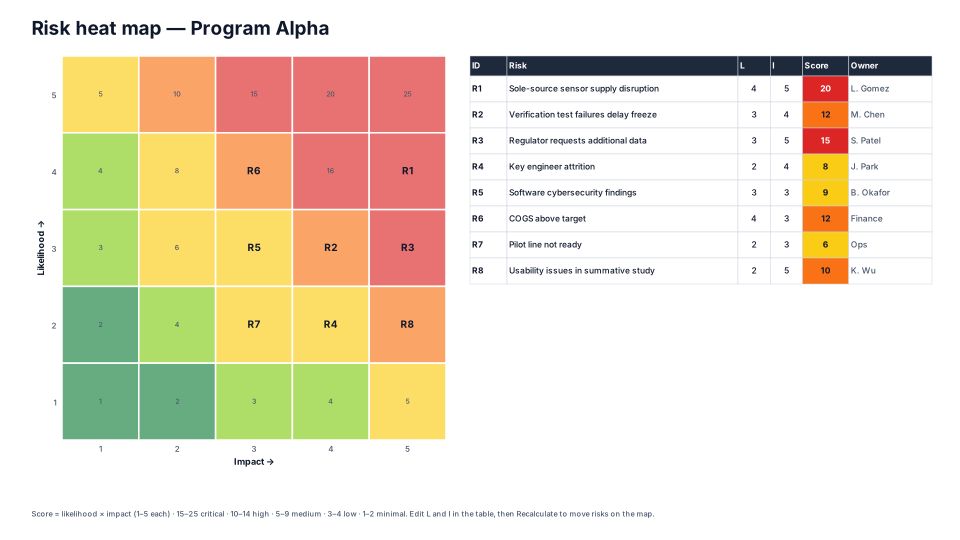
Risk Heat Map (5 × 5)
Risk & decisions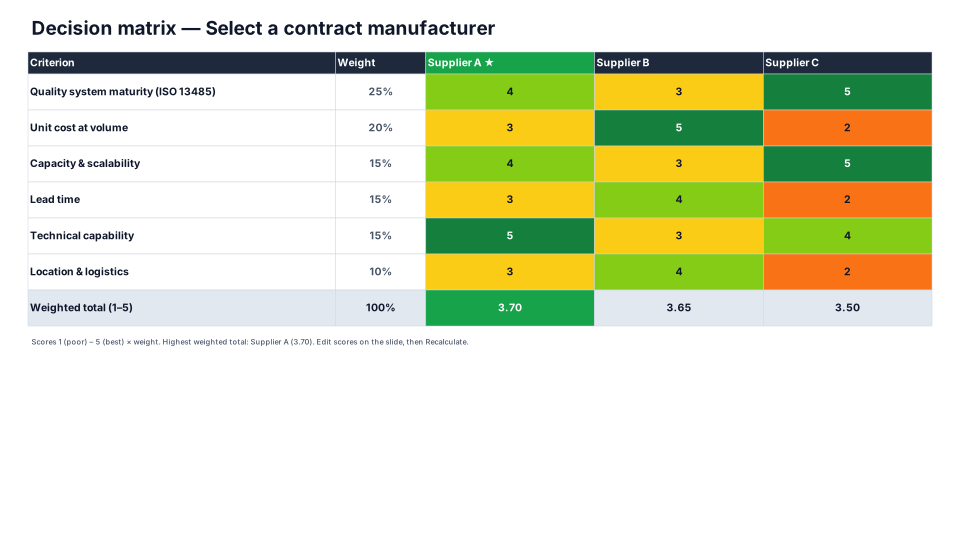
Weighted Decision Matrix
Risk & decisions- Free
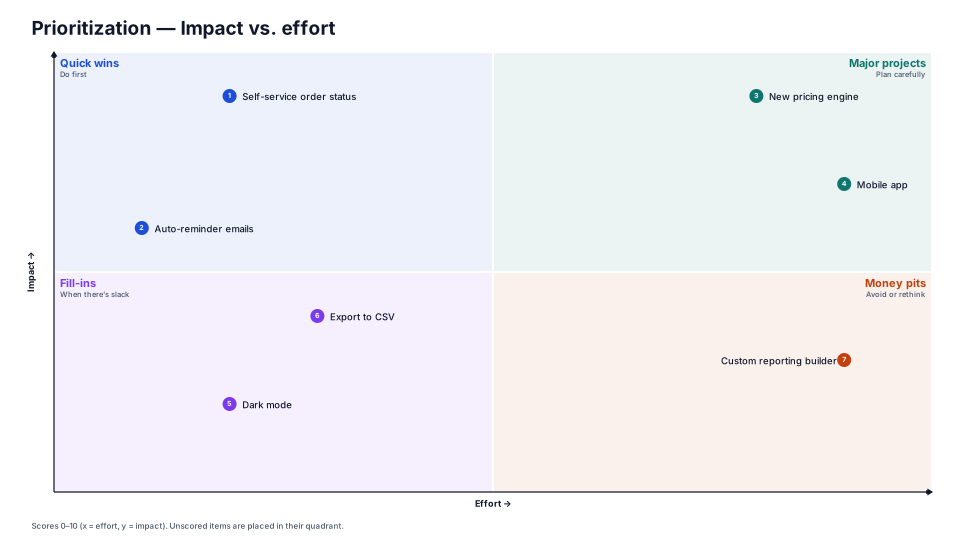
Impact / Effort Prioritization
Risk & decisions 
RAID Board
Risk & decisions
From the blog
How to present a schedule slip to a steering committee
A project manager's method for showing a schedule slip to executives: one slide, the old date next to the new one, the cause, the options and the…
How to make a timeline in PowerPoint (and keep it current)
Three ways to build a project timeline in PowerPoint, SmartArt, shapes and a table, step by step, plus where each breaks once the dates start moving.
From a status email to a timeline slide in four minutes
A project manager's walkthrough of turning a messy status email into an editable PowerPoint timeline: what to paste, what to check, and the three…