Risk Heat Map (5 × 5) template for PowerPoint
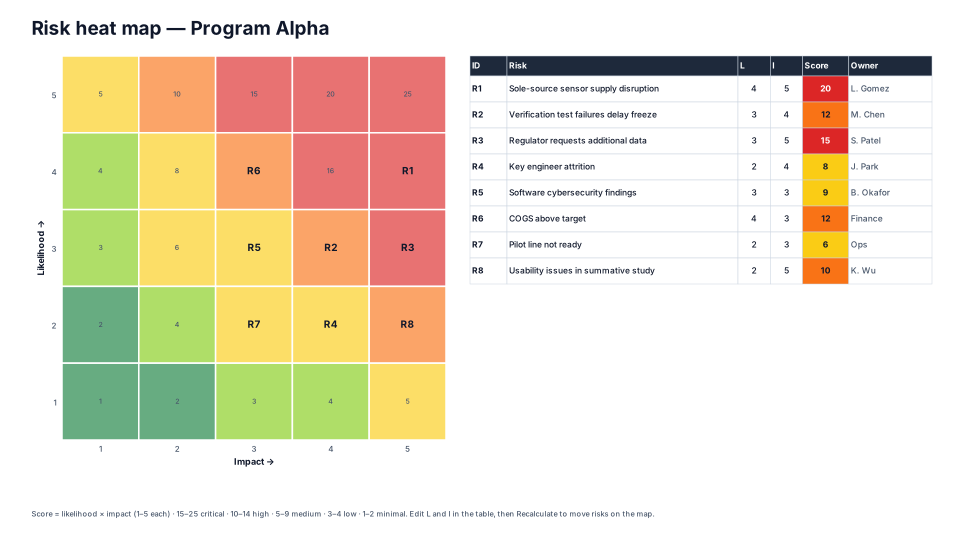
Likelihood × impact grid with risks plotted by ID, plus a scored risk register.
When to use it
Rating risks by likelihood and impact and showing where they land.
How to use it in PMO Pilot
- List risks in the register: likelihood 1–5, impact 1–5, owner.
- Change ratings in the table on the slide.
- Press Recalculate scores & heat map — risks move to their new cells.
Best for
Program managers, Risk owners, Steering committees.