
Impact / Effort Prioritization template for PowerPoint
Quick wins, major projects, fill-ins and money pits — items placed by score.
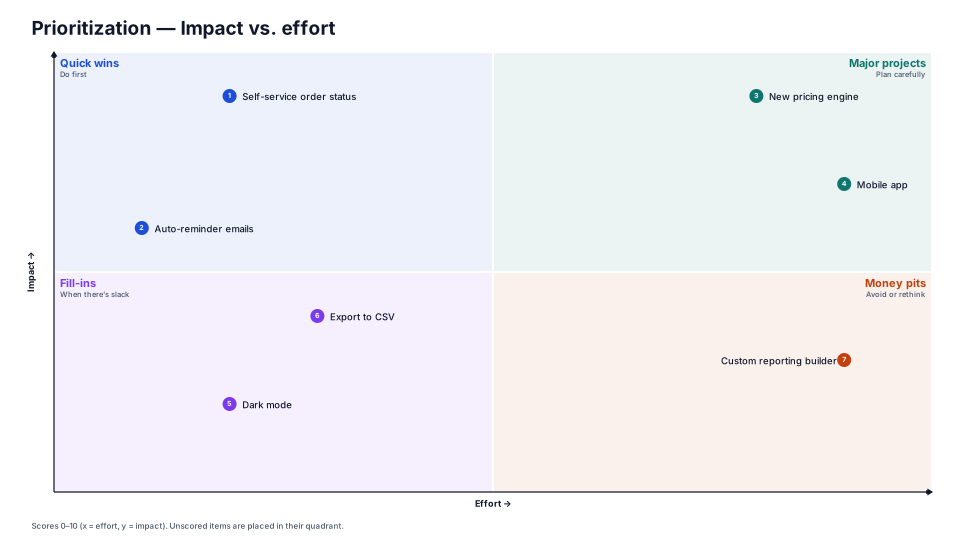
Download (.pptx, 14 KB) Fill it from your notes in PowerPoint
The download is the slide above, made of native PowerPoint shapes you can edit. No sign-up. PMO Pilot, the PowerPoint add-in, fills it from your notes and is free to install.
When to use it
Prioritizing a list of ideas: quick wins first.
How to make it in PMO Pilot
- Score each item 0–10 for effort and impact in Edit content (open the item's details).
- Redraw to place them in the four quadrants.
- Start with the top-left quick wins.
Best for
Product managers, Core teams, PMO.
More Risk & decisions templates
All 53 program diagrams, each a free .pptx download.
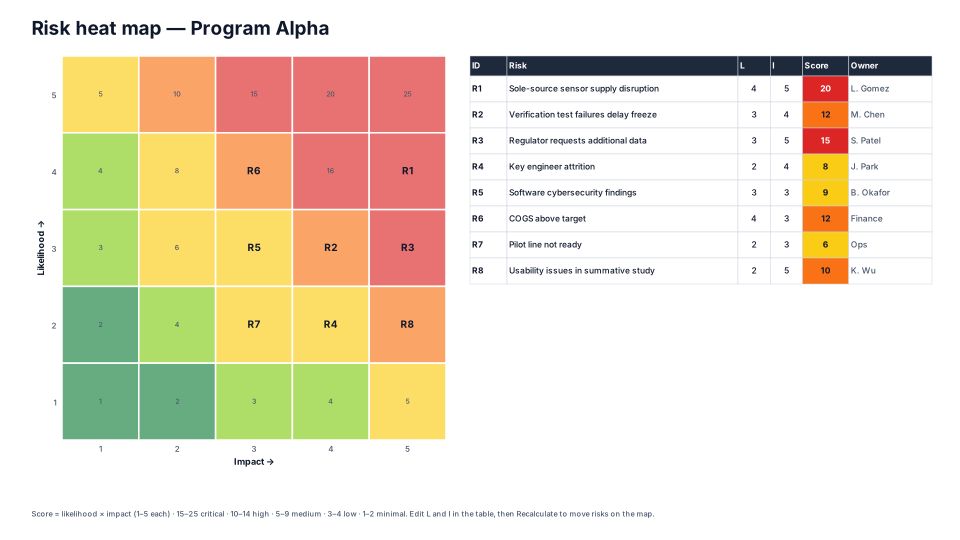
Risk Heat Map (5 × 5)
Risk & decisions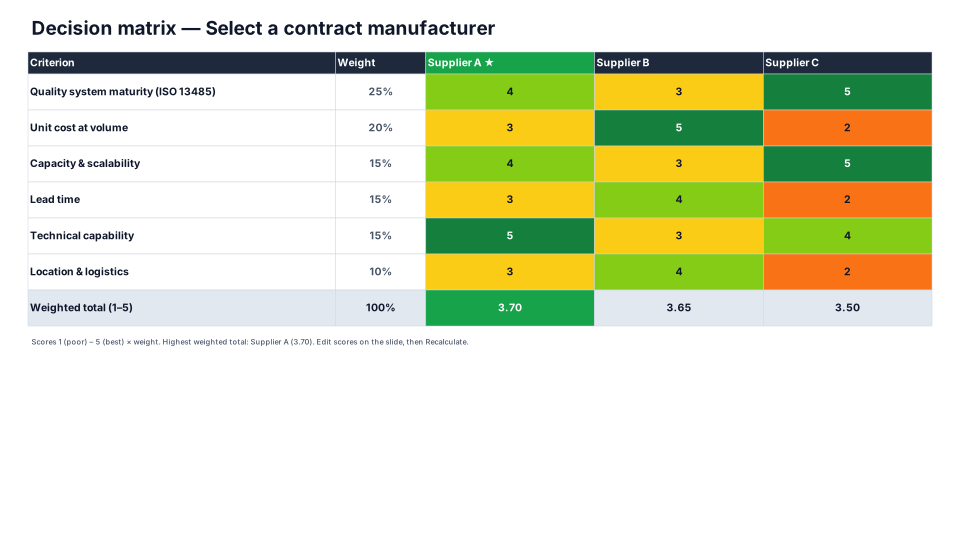
Weighted Decision Matrix
Risk & decisions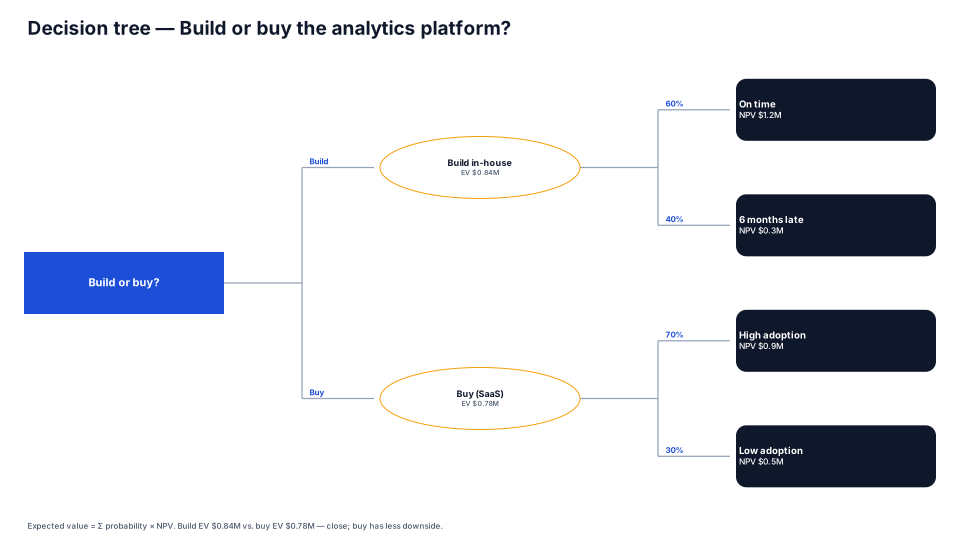
Decision Tree
Risk & decisions
RAID Board
Risk & decisions
From the blog
How to present a schedule slip to a steering committee
A project manager's method for showing a schedule slip to executives: one slide, the old date next to the new one, the cause, the options and the…
How to make a timeline in PowerPoint (and keep it current)
Three ways to build a project timeline in PowerPoint, SmartArt, shapes and a table, step by step, plus where each breaks once the dates start moving.
From a status email to a timeline slide in four minutes
A project manager's walkthrough of turning a messy status email into an editable PowerPoint timeline: what to paste, what to check, and the three…