
Which one for which meeting
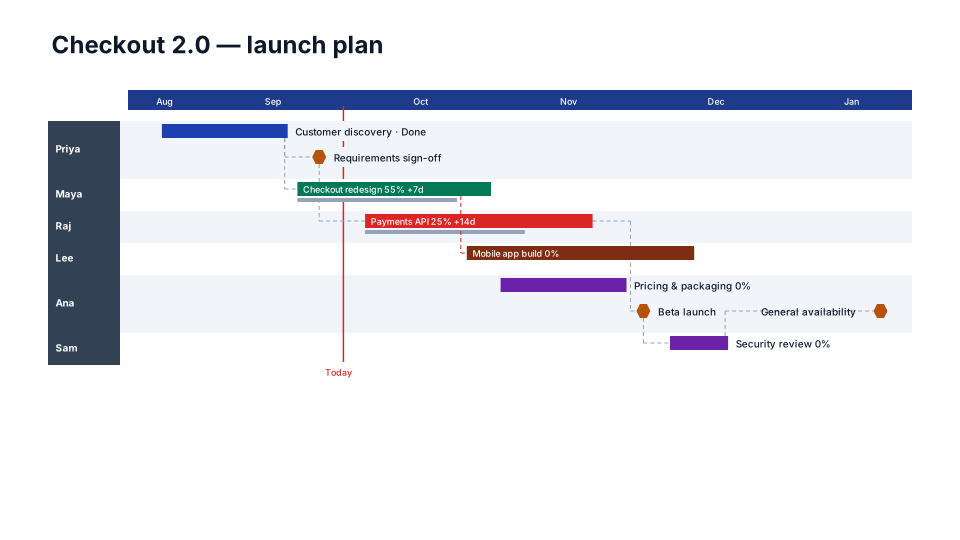
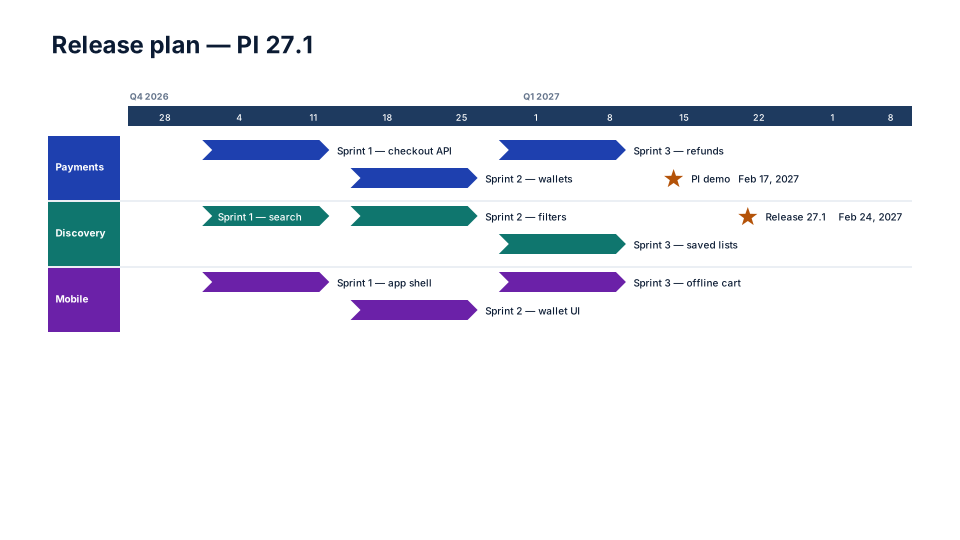
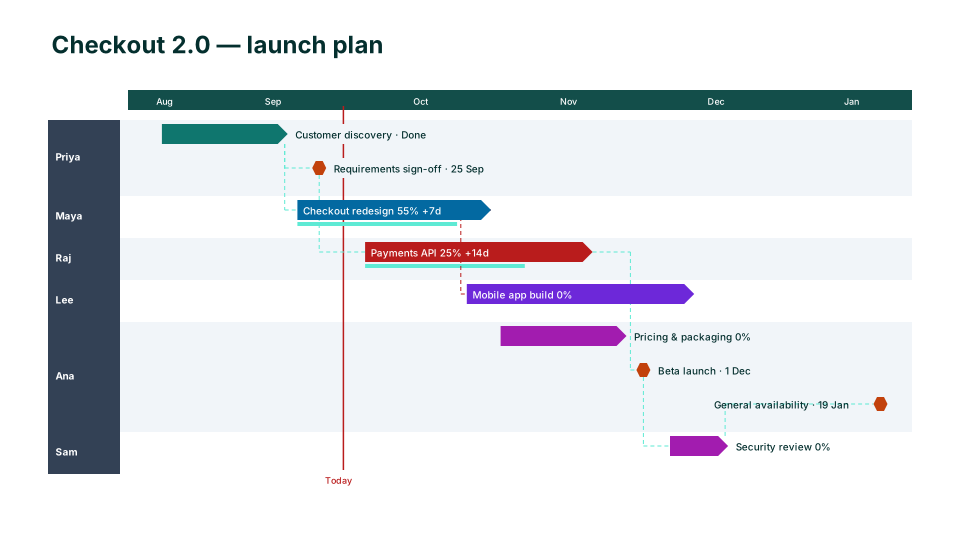
- PI planning and the PI review: PI Planning (SAFe) shows one Planning Interval with a lane per team and PI objectives as hexagons. SAFe says a PI typically runs 8 to 12 weeks, usually four development iterations followed by an Innovation and Planning iteration. Increment Plan is the same view with sprint objectives as chevrons, for teams that don't use SAFe's vocabulary.
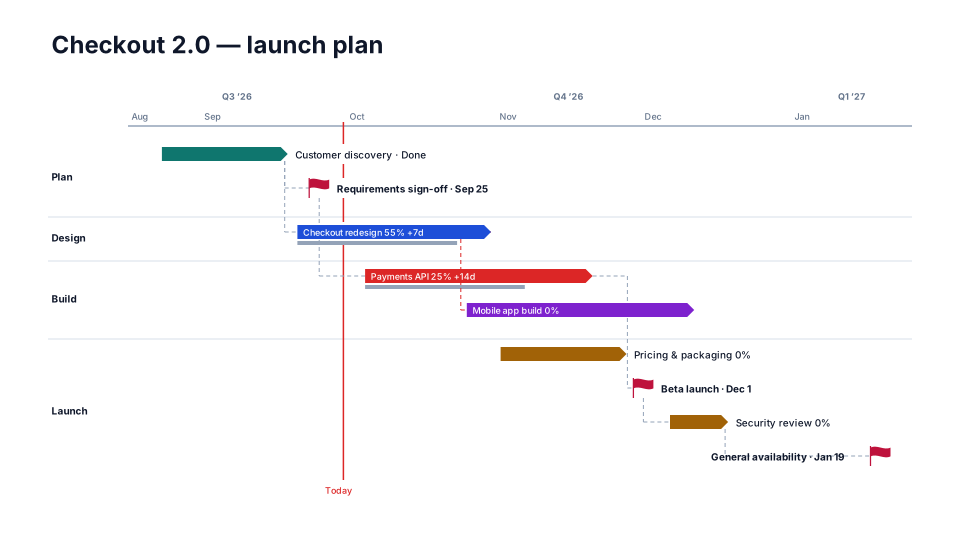
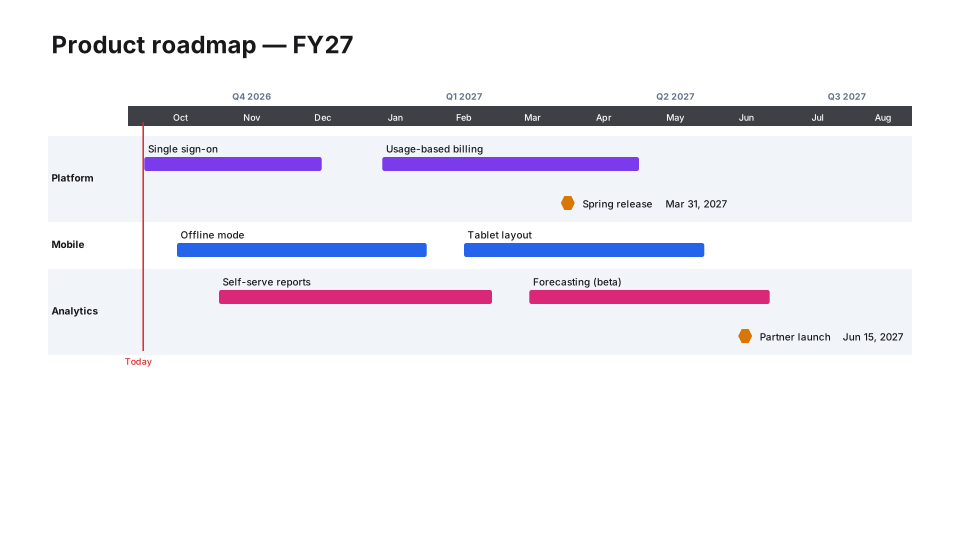
- Release planning across teams: Release Train puts each workstream on a month and quarter scale with the release dates flagged. Epic Roadmap shows epics per team across months: the roadmap view of a backlog.
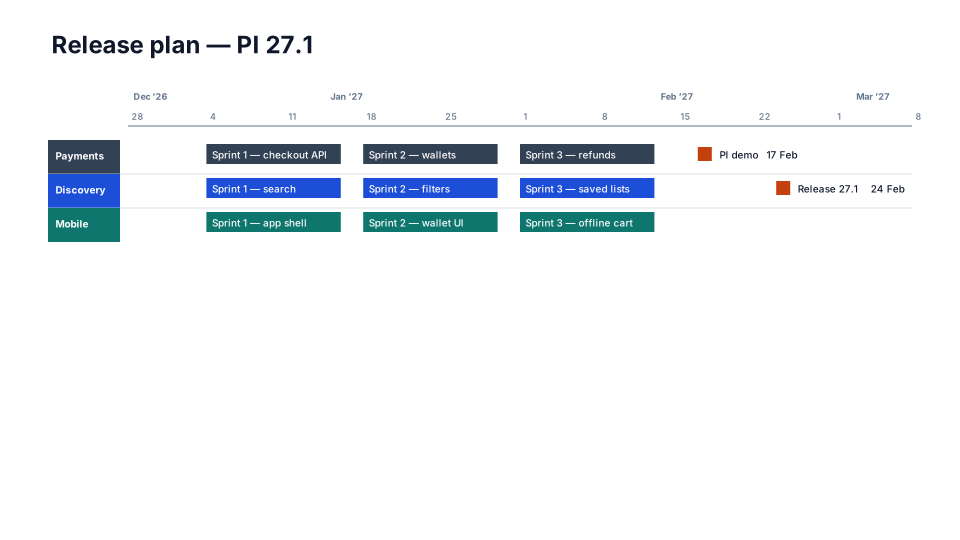
- Sprint reviews and delivery updates: Sprint Calendar draws each two-week sprint as a block with its goal inside and the demos as milestones. Agile Sprints is the lighter, free version for a delivery review.
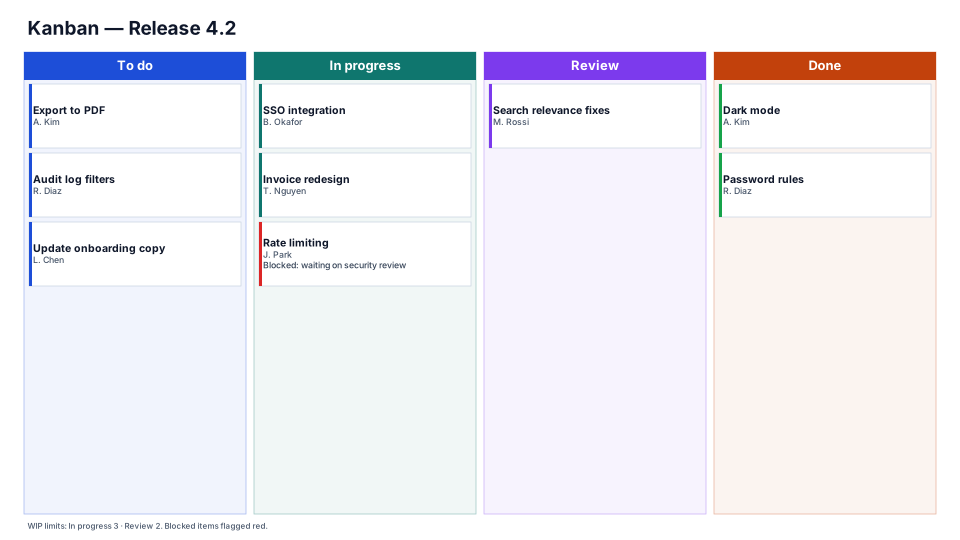
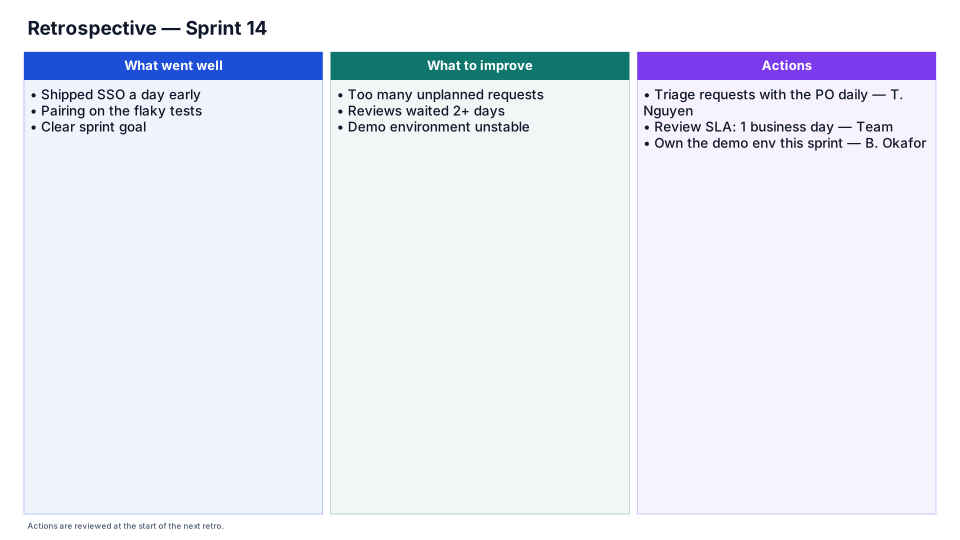
- The team's own meetings: the Kanban Board (to do, in progress, review, done) and the Retrospective (start, stop, continue, with an owner on every action) are boards, not timelines, because they have no dates.
From Jira to a slide
Export the issues to CSV with Summary, Assignee, Due date, Sprint, Parent summary and Status category, and upload the file in PMO Pilot's Create tab. Jira's column names are read as they are: parents (epics) become swimlanes, assignees become owners, and an issue with only a due date becomes a milestone. PI Planning and Agile Sprints give each owner a lane, so put the team's name in the Assignee column if you want a lane per team; the other looks lane by epic. The exact export steps are on the Jira import page.
Keep it current between ceremonies
When the plan is agreed at PI planning, save it as the baseline (Edit → Shift dates → Save as baseline). At each sprint review, upload the new export with Update from Excel / CSV (Pro): the same slide refreshes, the colors and labels you moved by hand stay, and anything that slipped since the baseline shows its slip in days next to its dates. Cross-team dependencies added as relationships are drawn as arrows, and the Critical Path Focus look outlines the chain that drives the end date.