
Smartsheet to PowerPoint timeline with baselines and dependencies
Smartsheet exports look a lot like Project: Primary Column, Start Date, End Date, Predecessors, Assigned To, % Complete, Baseline Start and Baseline Finish. PMO Pilot reads all of them and draws a native PowerPoint timeline, so the monthly review slide stops being a screenshot.
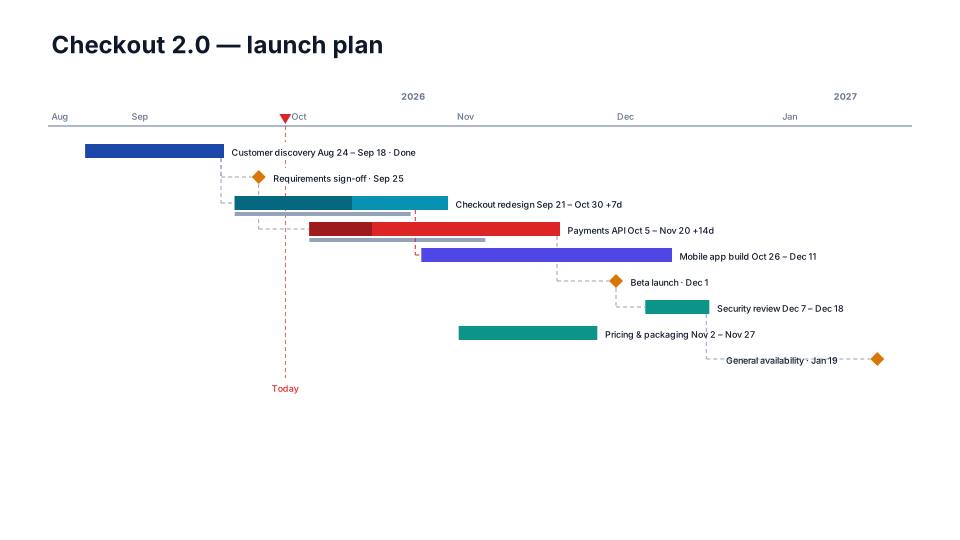
From Smartsheet to the slide
- In Smartsheet, open the sheet (Gantt view is fine) and choose File → Export → Export to Microsoft Excel.
- In PowerPoint, open PMO Pilot → Create with AI → Upload Excel / CSV and pick the .xlsx (or copy the rows and paste).
- Check the review screen: parent rows without dates become swimlanes; predecessors by row number become arrows.
- Press Insert on slide.
Which columns PMO Pilot reads
| Column in the Smartsheet export | On the slide |
|---|---|
| Primary Column / Task Name | the bar's label |
| Start Date / End Date | the bar; one date becomes a milestone |
| Assigned To / Contact | the owner (email addresses become names) |
| Status / Health | the bar's color |
| % Complete | the filled portion |
| Predecessors (3, 3FS+2d) | dependency arrows |
| Baseline Start / Baseline Finish | ghost bars (plan vs actual) |
| Row ID / Row number | what predecessors refer to |
No column mapping step: headers are matched by name, in any order, and the review screen shows exactly what was read before anything touches the slide.
Worth knowing
- Hierarchy is read from parent rows: a parent with no dates groups its children as a swimlane.
- Keep the export to the rows you want on the slide; a 300-row sheet is a report, not a slide.
Questions
Does PMO Pilot read Smartsheet's baseline?
Yes. Baseline Start and Baseline Finish columns become ghost bars behind each task, and a slip shows as the difference with a '+14d' label.
Can I go the other way?
Download CSV in the Edit tab writes the plan to a file Smartsheet can import.
Looks that suit a Smartsheet plan
Plan vs Actual
Program & PMO- Free
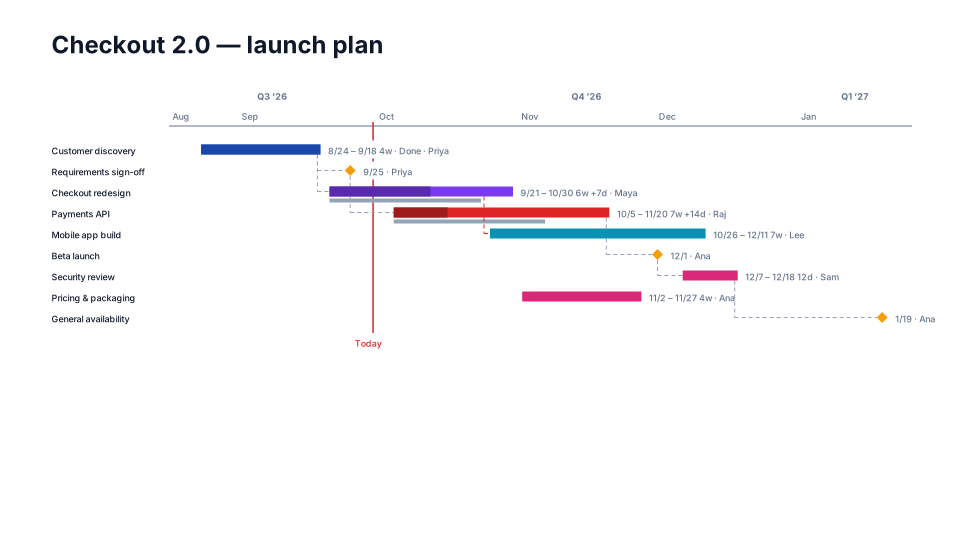
Detailed Gantt
Program & PMO 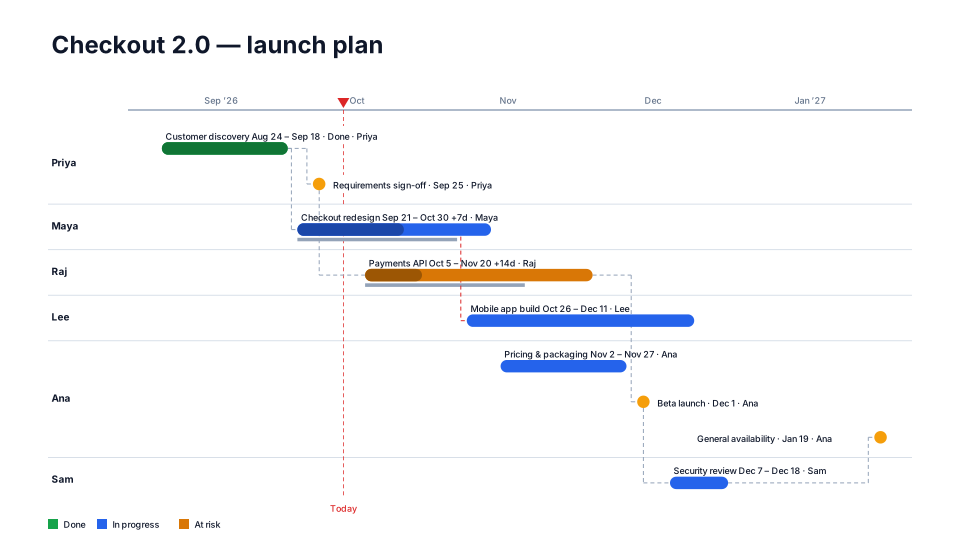
Status RAG
Program & PMO- Free
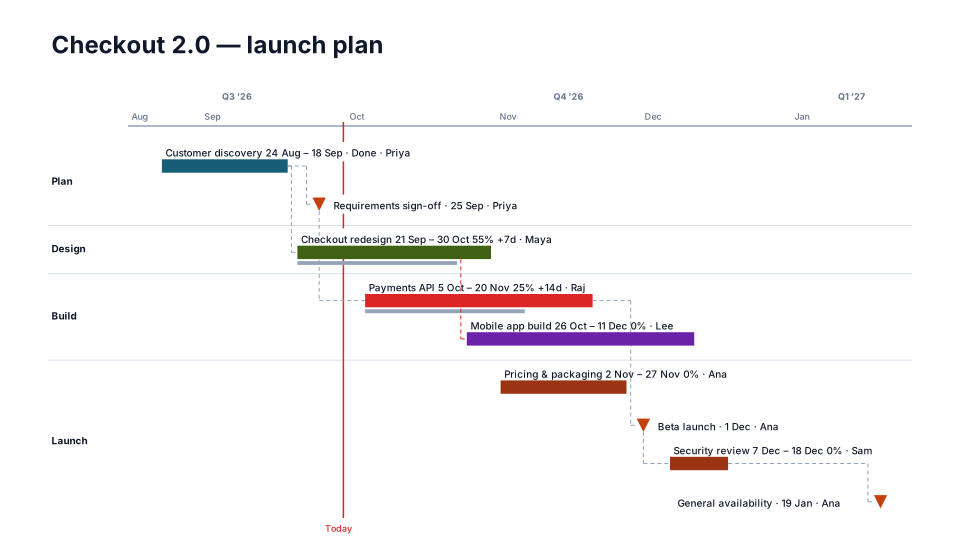
Implementation Plan
Consulting & client