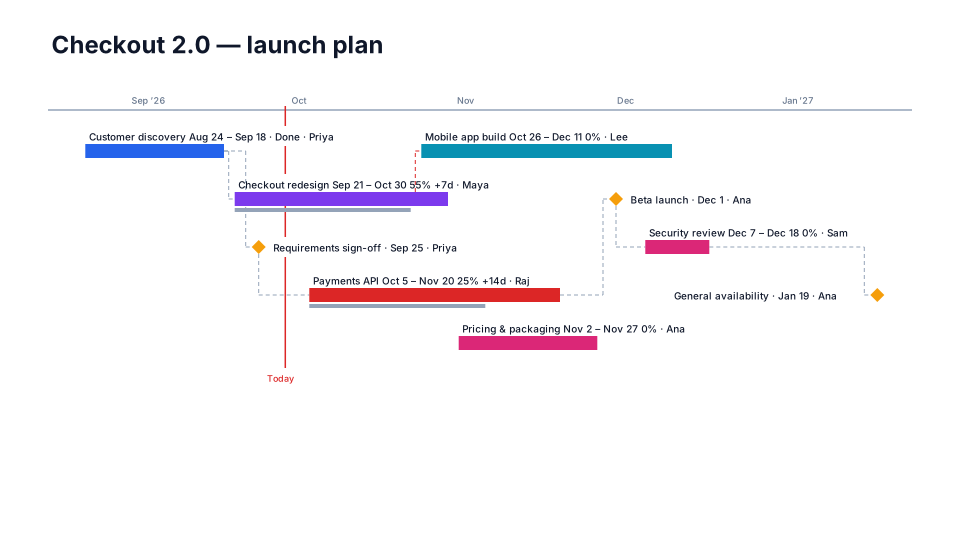
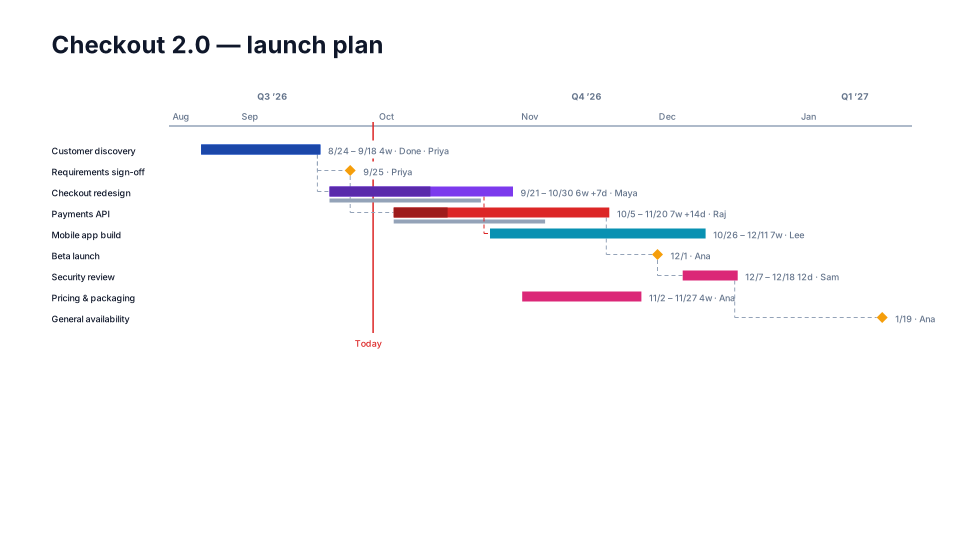
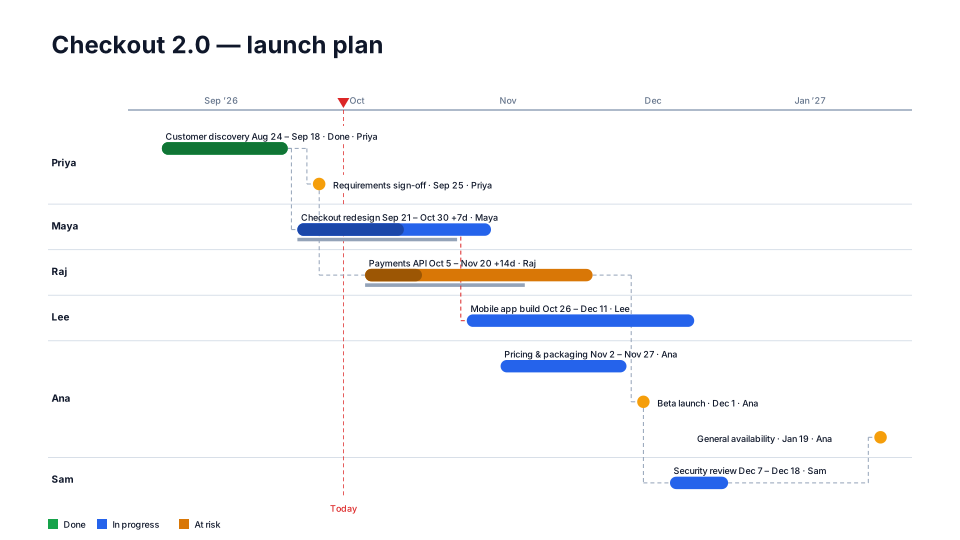
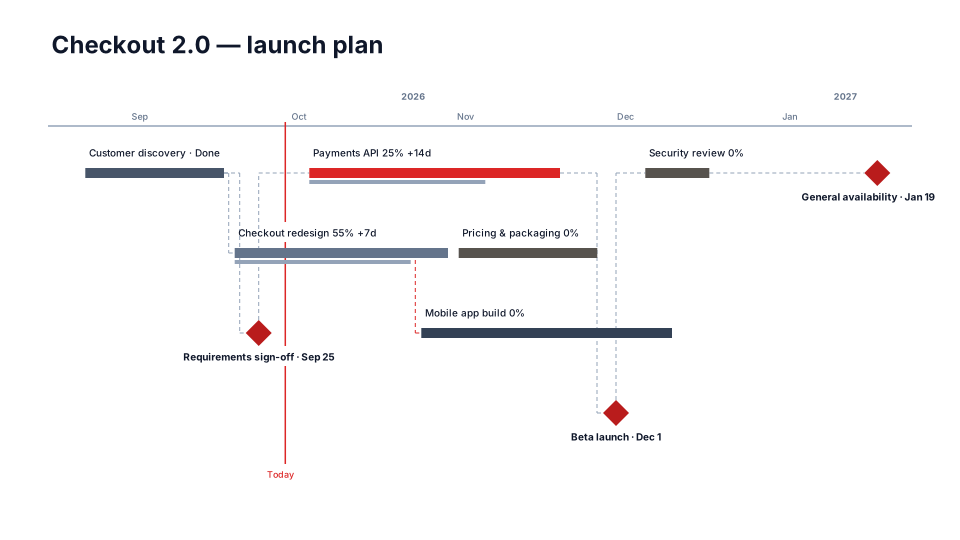
Plan vs Actual timeline for PowerPoint
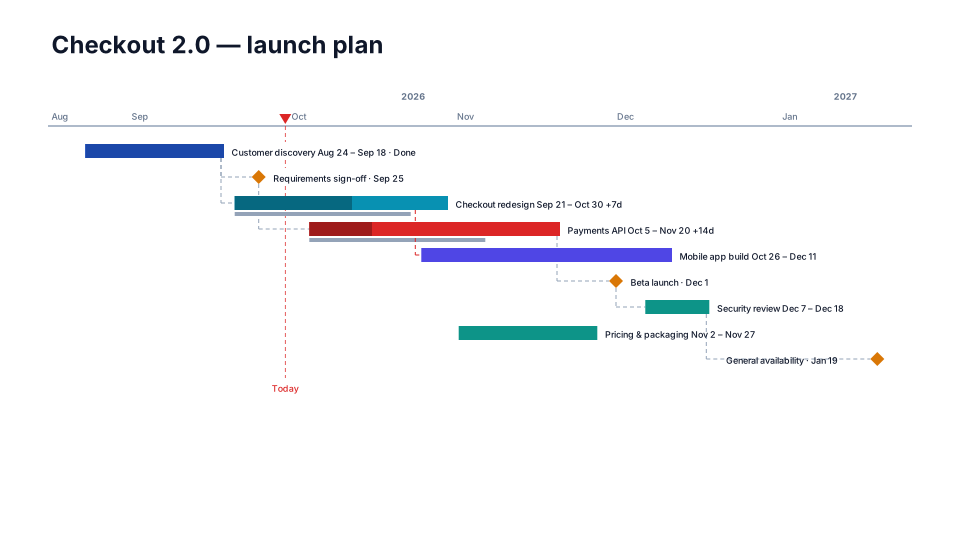
One item per row, % complete fill and slip labels against the saved baseline.
When to use it
Monthly reviews that compare today's plan with the plan of record.
How to use it in PMO Pilot
- In Edit → Quick actions, press Save as baseline once the plan is approved.
- Update dates as things change (table, Excel or Describe a change).
- Pick Plan vs Actual — slip labels show the drift against the baseline.
Best for
PMO, Sponsors, Monthly reviews.