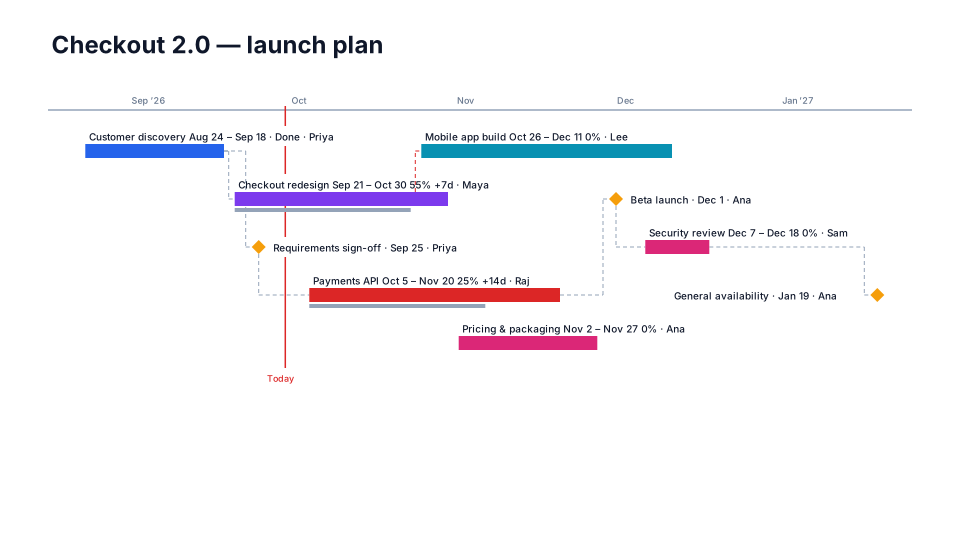
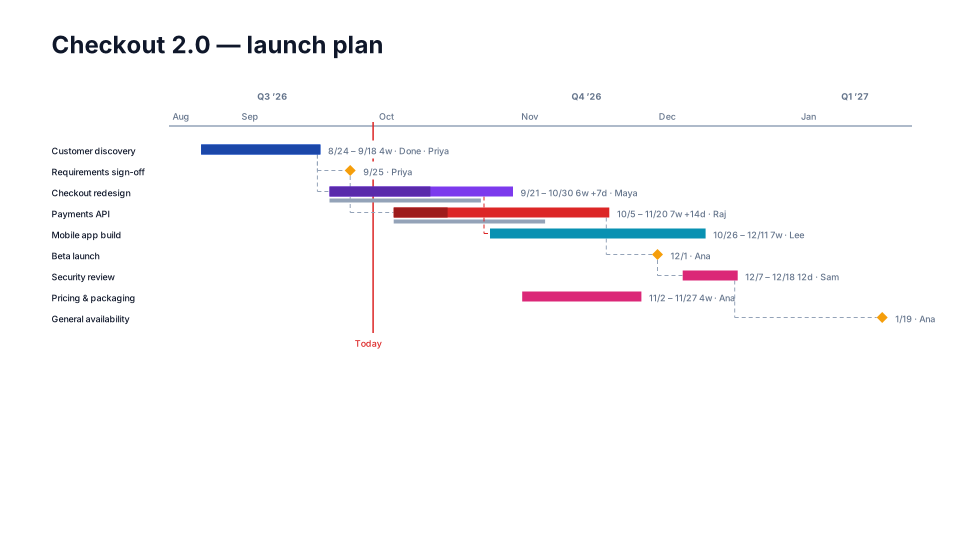
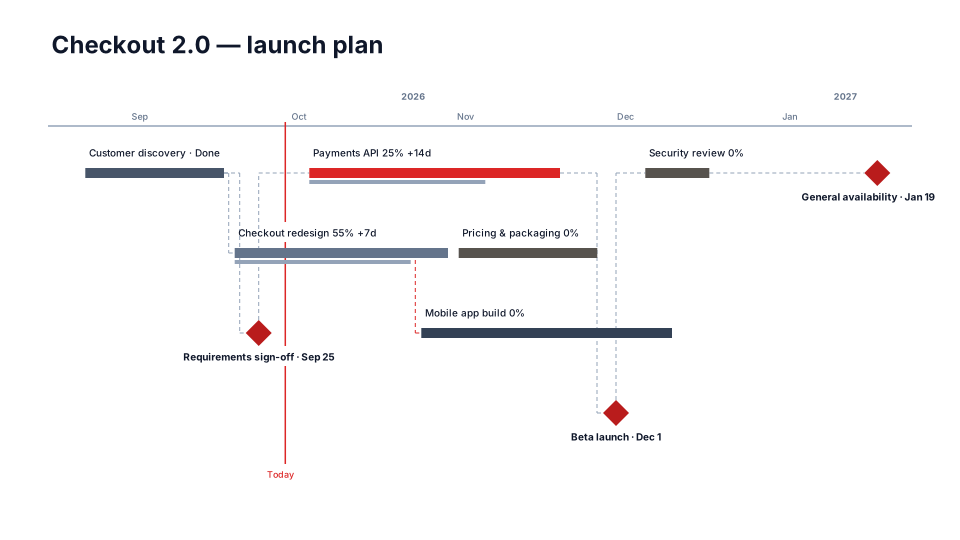
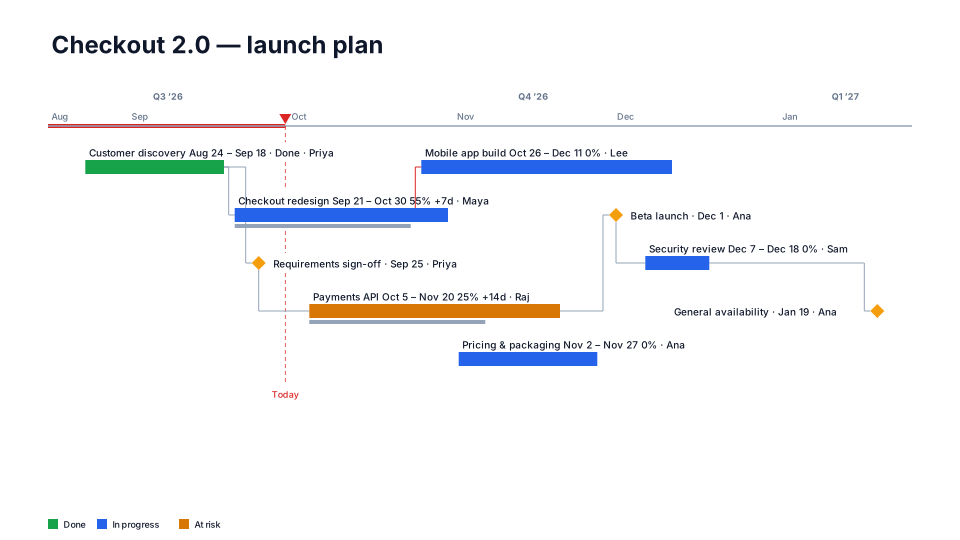
Status RAG timeline for PowerPoint
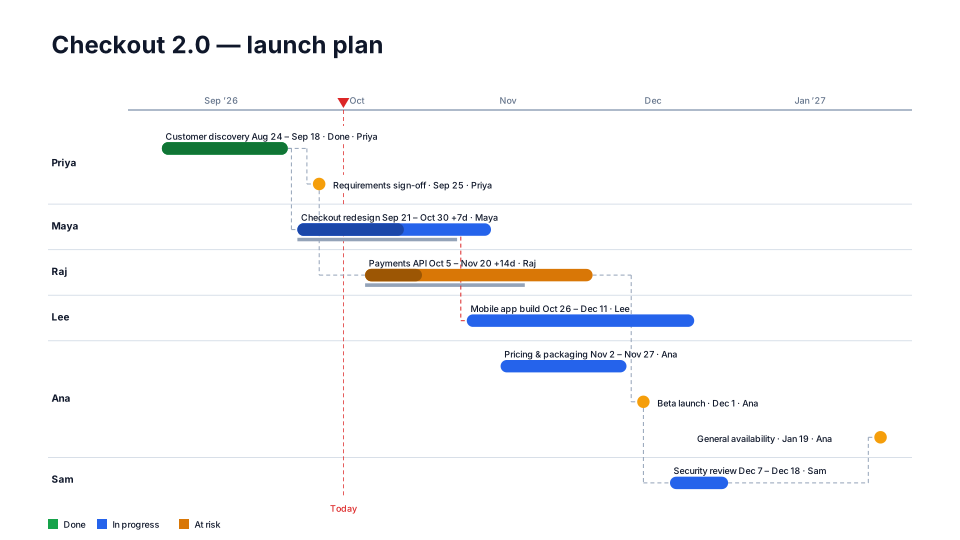
Colored by status (done / in progress / at risk / blocked) with a legend and progress fill.
When to use it
Status reviews where the question is ‘what is at risk?’.
How to use it in PMO Pilot
- Give each item a Status — Done, In progress, At risk or Blocked — in a Status column or by telling the AI.
- Pick Status RAG — colors and the legend follow the status.
- Turn on % complete fill under Tasks (bars) to show progress.
Best for
PMO, Program managers, Sponsors.