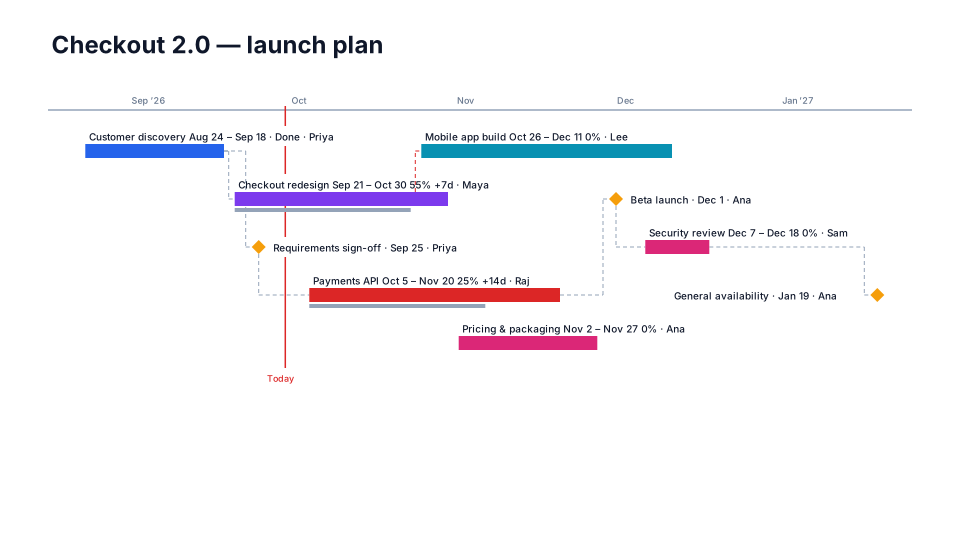
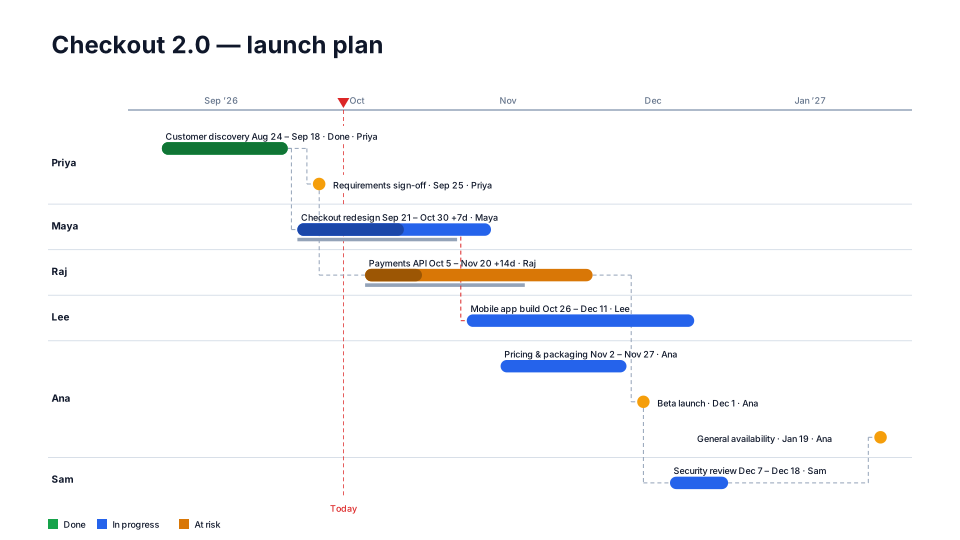
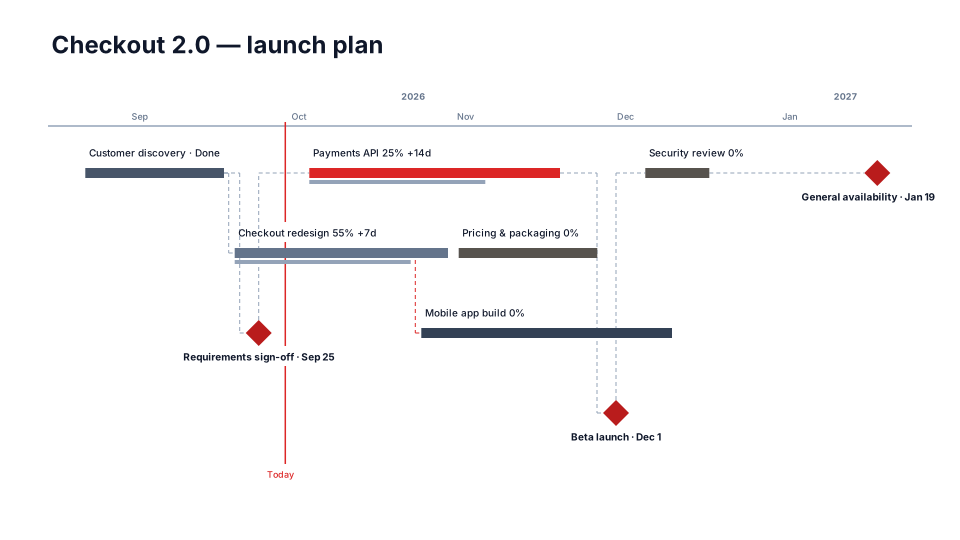
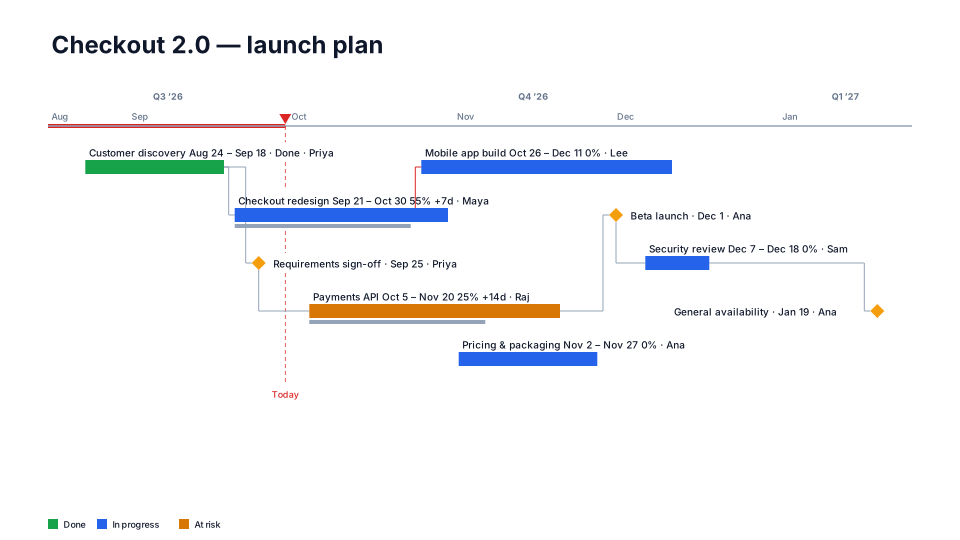
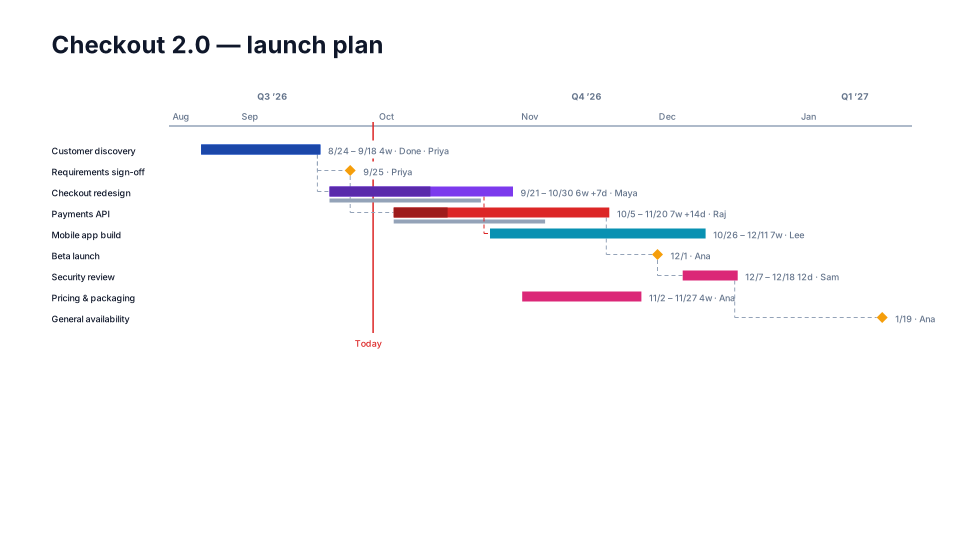
Detailed Gantt timeline for PowerPoint
One task per row with a name column, dates, duration and % complete. For PMs.
When to use it
Working sessions with the core team where every task, date and % complete matters.
How to use it in PMO Pilot
- Import the full schedule from Excel / CSV (Task, Start, End, % Complete, Predecessors).
- Pick Detailed Gantt — one task per row with a name column.
- Past ~25 rows, consider one slide per phase.
Tip: Show dependencies in View draws the predecessor links.
Best for
Project managers, PMO, Schedulers.