
Which one for which stage
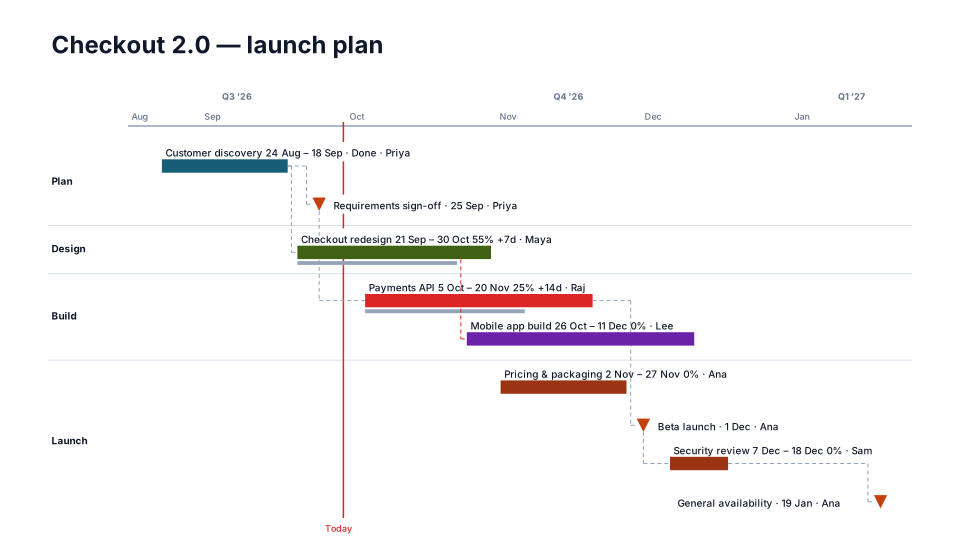
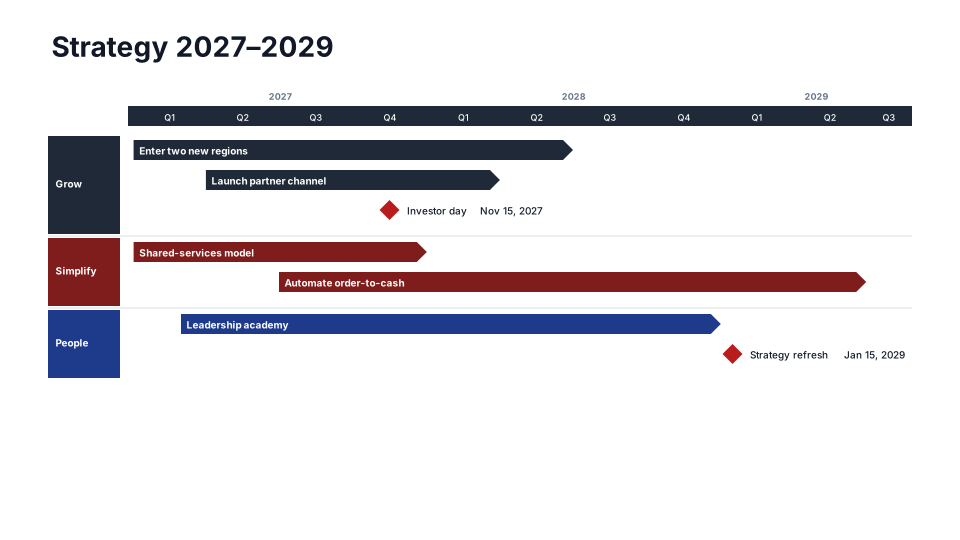
- Proposal and kickoff: Engagement Roadmap sells the approach (diagnose, design, deliver over quarters). Implementation Plan, which is free, is the working plan with dates and owners on every bar.
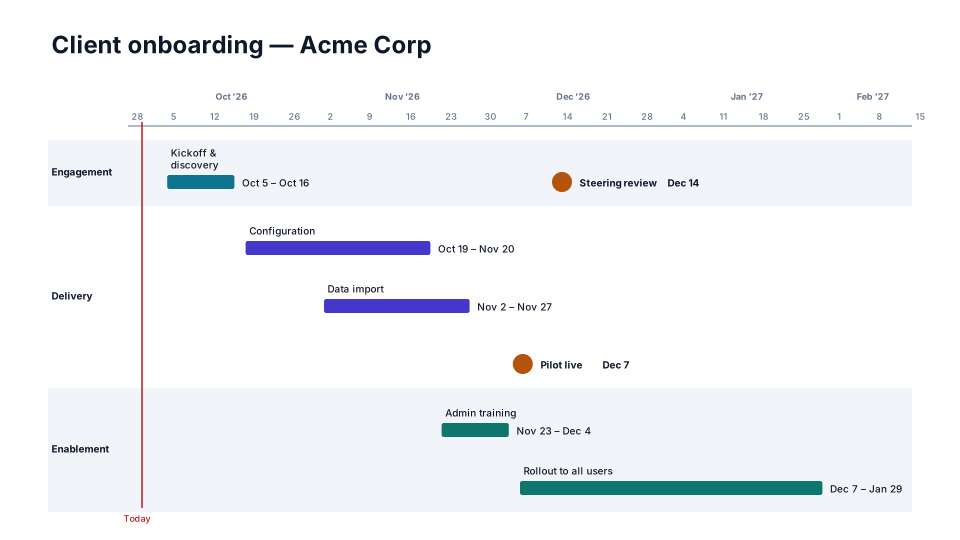
- Customer projects: Client Onboarding shows weeks over months by workstream, with go-live and the steering review as milestones.
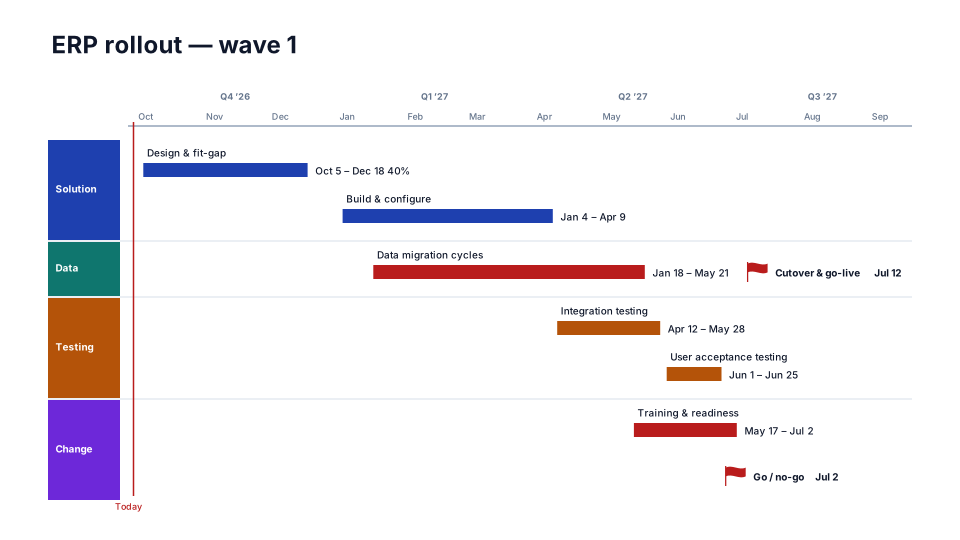
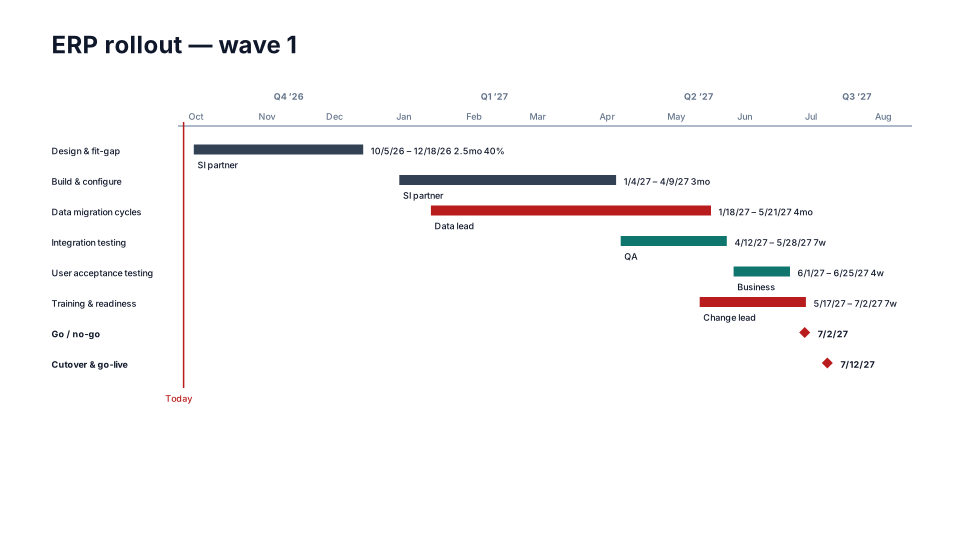
- System implementations: ERP Rollout, also free, runs design, build, data migration, testing and training up to go-live. Cutover Plan puts every cutover activity on its own row with its duration, and marks go / no-go and go-live.
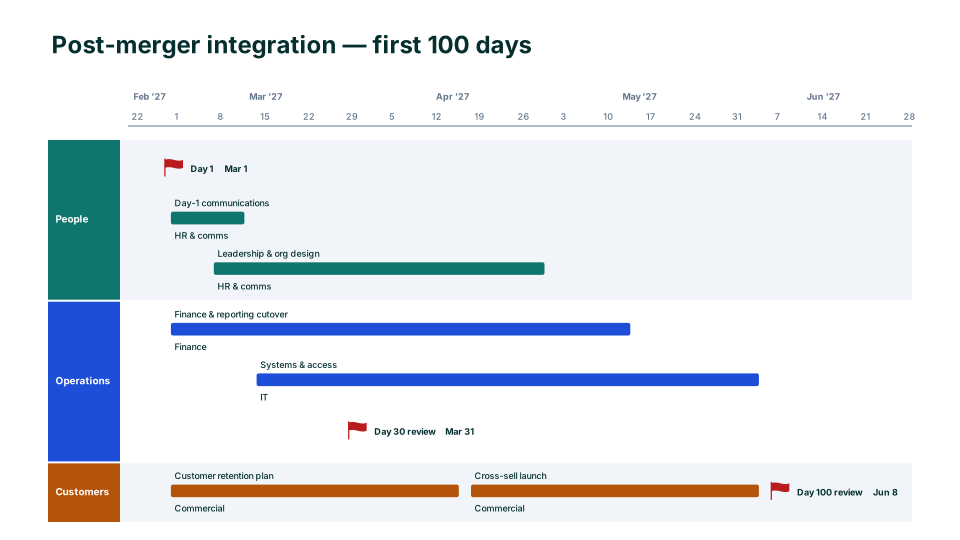
- Mergers: 100-Day Integration Plan runs from Day 1 to Day 100 by workstream (people, operations, customers), with the 30- and 100-day reviews.
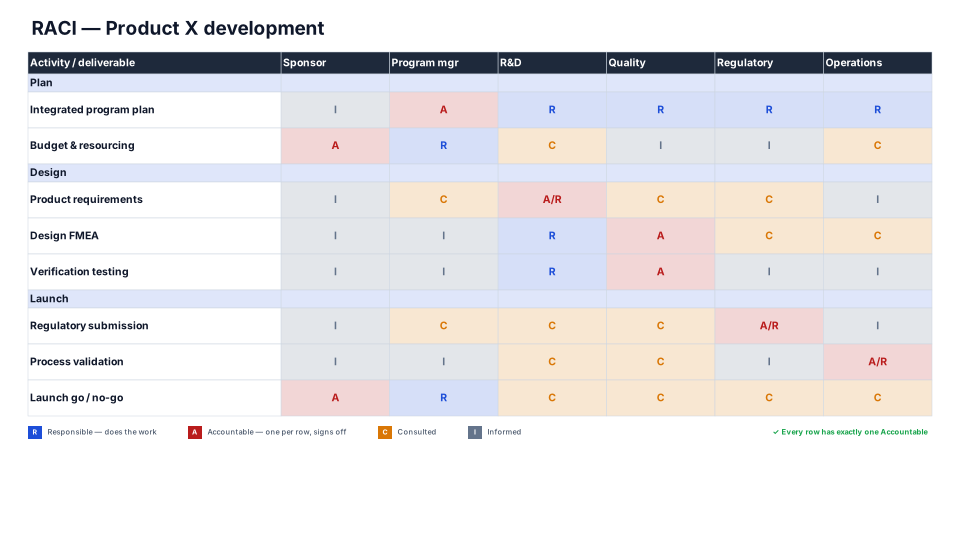
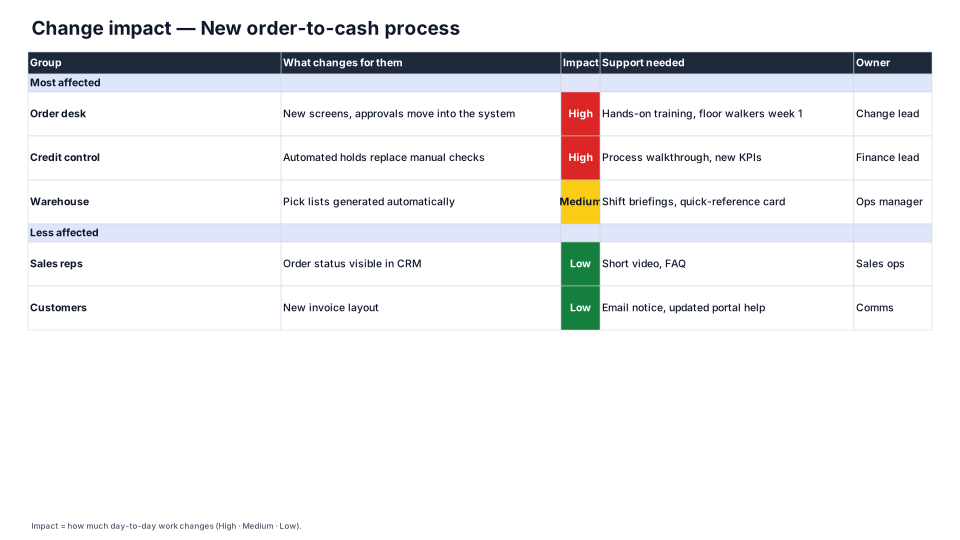
- Around go-live: the RACI Chart, free, checks that every row has exactly one Accountable. The Change Impact Assessment lists what changes for each affected group and the support they need.
Sign-off, then show what moved
Agree the plan at kickoff and press Save as baseline (Edit → Shift dates). From then on, a task that moves shows its original dates as a ghost bar and its slip in days, and the Plan vs Actual look shows the drift across the whole plan, which is usually the first question at a steering review. Clients can edit the slide in PowerPoint without the add-in, and Sync from slide in the Edit tab reads their changes back into the plan.
From the tool you plan in
Upload a Microsoft Project XML file, a Smartsheet or Excel export, or an Asana CSV in the Create tab. The column names each tool exports are read as they are, predecessors become arrows, and a baseline in the file becomes ghost bars. When the dates change next month, Update from Excel / CSV refreshes the same slide and keeps your formatting.