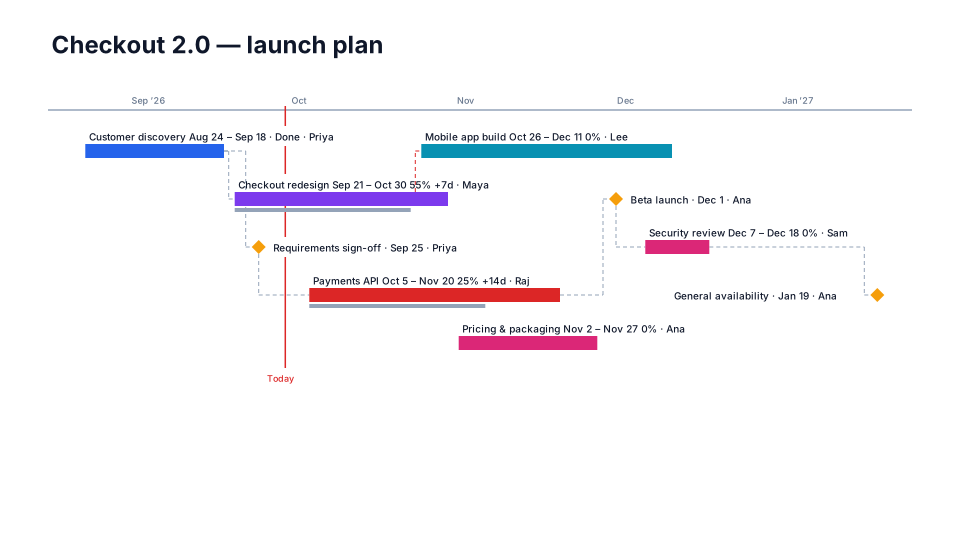
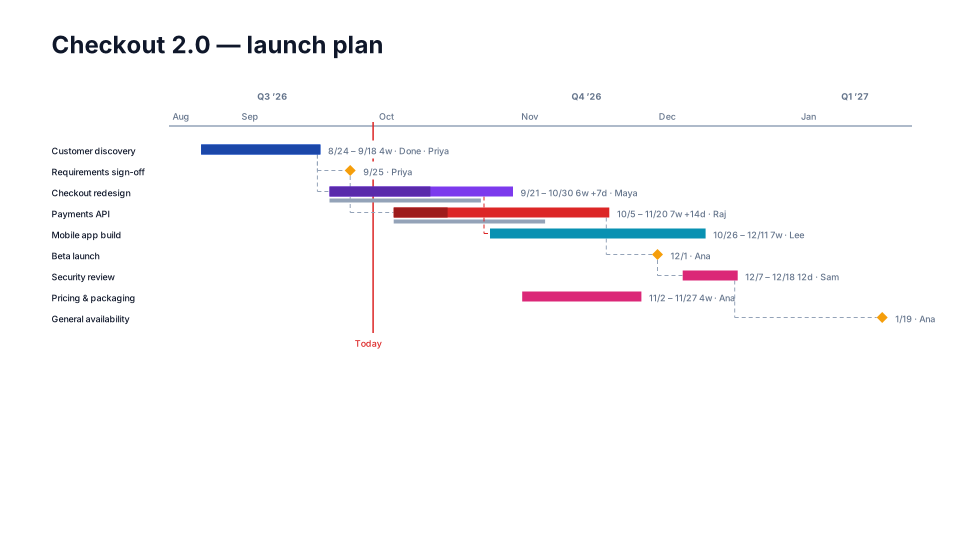
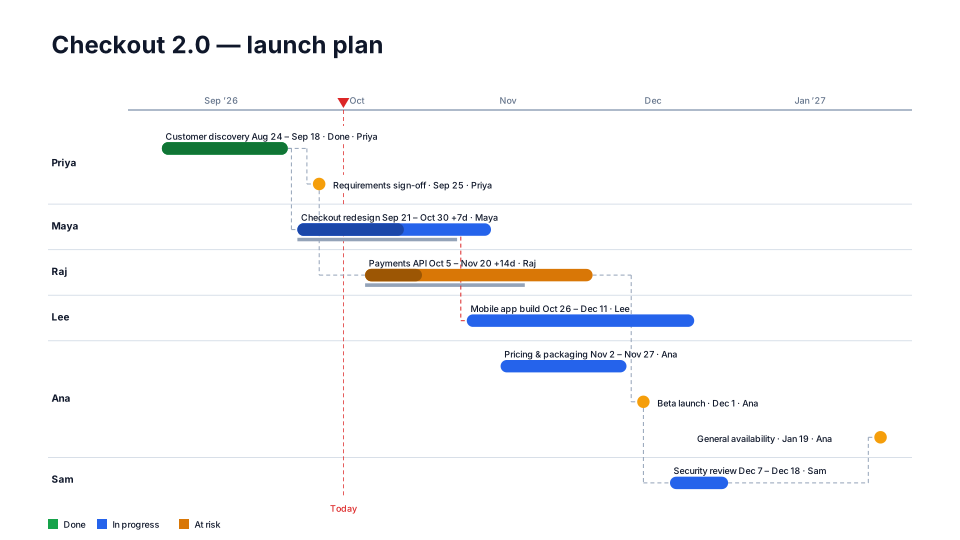
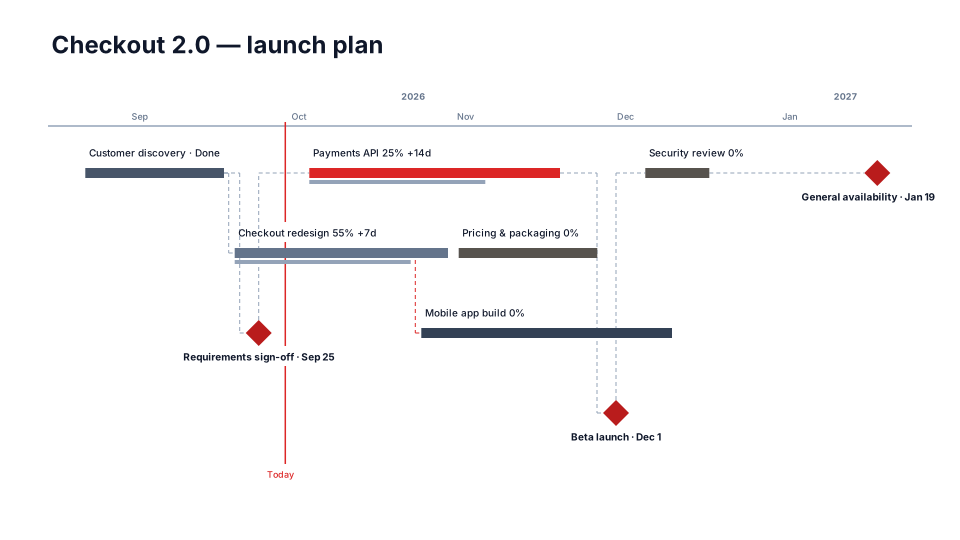
Team Workload timeline for PowerPoint
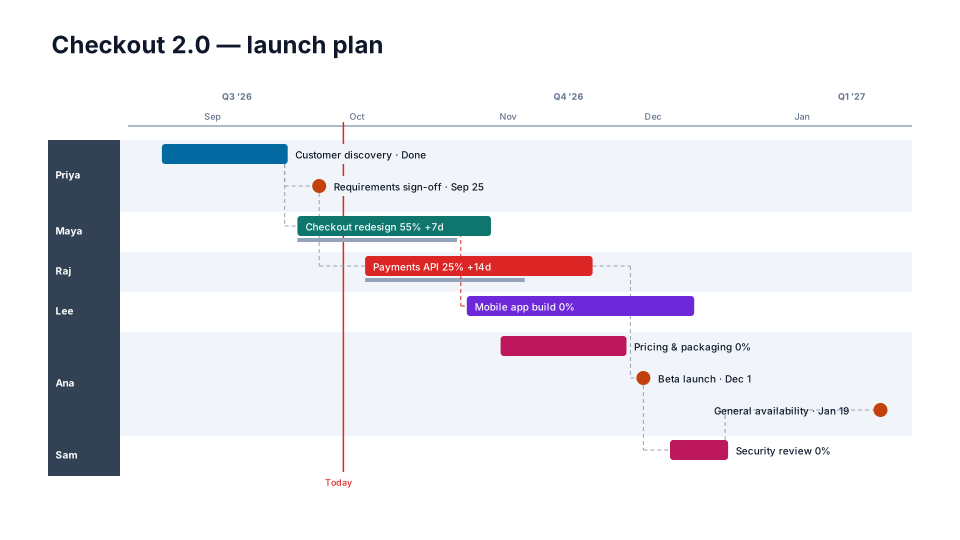
A lane per owner with labels inside bars — spot overloaded people at a glance.
When to use it
Spotting who is overloaded, one lane per person.
How to use it in PMO Pilot
- Make sure every item has an Owner.
- Pick Team Workload — Swimlanes: By owner.
- Look for lanes with overlapping bars and rebalance in Edit.
Best for
Resource managers, Functional leads.